
Migrating to new truck repair shop management software is a pivotal step for logistics, construction, and fleet management companies aiming to enhance their operational efficiency. This process demands structured planning and execution, enabling businesses to achieve their strategic objectives, such as improved service quality and reduced operational costs. In this article, we explore a series of well-defined steps: from initial assessment and planning through data migration and customization, to training and testing. Each chapter delves into essential strategies and best practices to facilitate a seamless transition to modern software solutions, ensuring maximum ROI and minimal disruption to daily operations.
From Strategy to Start Line: Planning a Smooth Migration to Truck Repair Shop Software

Planning the Migration: Goals, Audit, and a Practical Strategy
Successful migration to new truck repair shop management software begins with a clear, measured plan. It is not a one-off IT project. It is an operational shift that touches scheduling, parts, billing, and human workflows. Start by defining a small set of measurable objectives. Keep each objective precise. Examples include reducing repair cycle time by a set percentage, lowering inventory carrying costs, or improving invoice accuracy. These goals will drive vendor selection, data priorities, and training investment. They also make success measurable after launch.
A thorough audit of current systems and daily processes is the next step. Walk through a repair order from intake to invoicing. Note every manual handoff. Record where work-in-progress slips out of visibility. Identify recurring errors in parts ordering and billing. Pay attention to how technicians receive assignments, how parts are located, and how customers are notified. These observations reveal requirements that must be preserved or improved by the new system.
During the audit, gather a pragmatic inventory of digital assets and integrations. List accounting systems, diagnostic tools, telematics feeds, barcode scanners, and any mobile devices used in the shop. For each, record version, owner, and current pain points. This inventory will determine integration needs and influence the choice of platform architecture. A cloud-based solution is often preferable for remote access and simpler updates, but it must meet your security and compliance requirements.
With goals and an audit in hand, translate needs into prioritized functional requirements. Focus on the features that will affect daily throughput and cash flow. Examples include reliable work order management with real-time status, parts inventory with automated reorder points, simple CRM capabilities to capture vehicle and customer history, and tight billing integrations to accounting software. Mobile access for technicians and managers is crucial for shops with multiple bays or remote service calls. If you serve commercial fleets, add telematics and preventive maintenance workflows to the list. Rank these requirements. A ranked list helps avoid feature bloat and guides initial configuration.
Vendor evaluation should be structured and evidence-based. Create a short RFP or checklist based on your prioritized requirements. During vendor demos, observe how the software supports core workflows. Ask vendors to demonstrate a full repair order lifecycle. Request references from shops of similar size and specialty. Confirm the vendor’s experience with heavy-duty or commercial vehicle work. Clarify support levels, response times, and training offerings. Get a clear picture of total cost of ownership. Ask about data export, backup policies, and security measures. Transparent pricing prevents surprises later.
Data migration is one of the highest-risk elements of any software transition. Approach it with a disciplined plan. Start by mapping the data that must move: customer records, vehicle histories, parts master lists, inventory quantities, and past repair orders. Decide what to keep and what to archive. Historical repair orders older than a defined threshold can be archived elsewhere to reduce migration complexity. Cleanse data before migration. Remove duplicates, correct inconsistent vehicle identifiers, and standardize part numbers. This cleanup effort reduces mapping errors and prevents garbage from entering the new system.
Define a data mapping document that pairs fields in the old system with corresponding fields in the new one. Include rules for merging or splitting fields and for handling missing values. Establish quality checks for migrated data. A small sample migration provides early feedback. Validate migrated records against source systems. Confirm that inventory counts reconcile and that customer histories appear intact.
Plan the migration sequence to minimize downtime. Many shops choose a phased approach. Migrate a single location or a subset of work orders first. Alternatively, run both systems in parallel for a short period. Parallel runs reduce operational risk but require strict discipline to avoid double entry. Set a hard cutover date only after pilot testing validates critical workflows. Prepare a rollback plan that defines steps to revert to the legacy system if critical issues arise.
Human factors determine whether a new system truly succeeds. Build a training and change-management plan early. Tailor training for each role. Technicians need hands-on instruction focused on how to receive and update work orders. Service advisors must learn customer-facing workflows and billing. Managers need reporting and system configuration skills. Combine live workshops, short video tutorials, and quick reference guides. Provide hands-on practice time in a sandbox environment. Encourage questions and capture feedback to refine workflows.
Promote clear communication about the reasons for change and the expected benefits. People adopt change when they understand the personal and team advantages. Share the migration timeline, training schedule, and support contacts. Assign internal champions for each role to act as local points of contact. Champions accelerate adoption by coaching peers and escalating issues.
Pilot testing is essential. Select a pilot group that represents the diversity of your shop operations. The pilot should exercise high-volume workflows and edge cases. Track pilot results against the objectives you set at the start. Use pilot feedback to refine configurations, checklists, and user permissions. Make any necessary adjustments before the wider rollout.
On go-live day, follow the plan. Assign clear responsibilities. Have vendor and internal support on standby. Monitor critical metrics closely: work order throughput, parts reservation accuracy, and invoice generation. Address issues promptly and document fixes. Keep the pilot group or champions actively involved during the first weeks to stabilize workflows.
Post-migration, treat optimization as an ongoing process. Use built-in reporting to track KPIs tied to your initial objectives. Look for early wins, such as faster check-in times or fewer parts ordering errors, and publicize them to build momentum. Continue collecting user feedback and implement refinements in regular cycles. Review system updates and new features from your vendor and assess their applicability to your operations.
Risk management should run through every stage of planning. Secure data backups before migration. Confirm access controls and encryption settings. Consider compliance obligations for customer data. Test integrations to ensure data flows reliably to accounting and telematics systems. Maintain a list of critical contacts at the vendor and internally. Finally, budget for contingency time and costs. Unexpected issues are common; a little extra buffer keeps the migration on track.
A well-planned migration aligns operational goals with technical execution and people readiness. By defining clear objectives, auditing real workflows, prioritizing requirements, and using a phased migration strategy, shops can move to a modern management platform with minimal disruption. Training, pilot testing, and continuous optimization turn a technical deployment into lasting operational improvement. For additional perspectives on building the human side of operational change, see this piece on transforming fleet management: Transforming fleet management: the case for investing in human capital.
External resource for a practical example of a cloud-based solution: https://www.norwegiancloud.com/truck-repair-software
Securing Continuity: A Practical Guide to Data Migration for Truck Repair Shop Software
Data is the backbone of any repair shop. When a shop moves to a new management system, intact, accurate data keeps bays running, invoices accurate, and customers satisfied. A successful migration begins with a disciplined assessment of what to move, then follows a reproducible process that minimizes downtime, preserves data integrity, and prepares staff to use the new system effectively.
Start by inventorying your data assets with purpose. Identify customer files, vehicle records, service histories, work orders, parts inventory, supplier contacts, warranty claims, pricing lists, and financial transactions. Treat this inventory as a living map: note the systems where each asset lives, its current format, and whether fields are complete. Pay special attention to vehicle identifiers and serial numbers. Consistent vehicle IDs avoid duplicate histories and misassigned parts. For parts, reconcile SKU formatting, units of measure, and bin locations. Financial data requires alignment on chart of accounts and tax codes. This map defines scope and surfaces gaps worth addressing before any transfer.
Cleaning comes next. Migration provides a rare chance to reduce clutter. Remove inactive accounts, merge duplicate customer entries, and correct inconsistent formats such as dates and phone numbers. Standardize vehicle identifiers and VIN formats so they match the new system’s expectations. Reconcile inventory counts physically where feasible. Small repairs at this stage prevent large headaches later, such as incorrect parts ordering or confused warranty claims. Document every rule used for cleanup. Clear documentation enables repeatable steps for phased rollouts and audits.
Once data is tidy, define mapping rules that translate old fields into the new system’s schema. This step is where most projects stumble. Start with a comprehensive field-by-field map: source field name, target field name, data type, allowed values, and any transformation rules. For example, map a legacy “job status” field into the new system’s status codes and establish how legacy labor hours convert into the new labor tracking unit. Use lookup tables for value standardization and note conditional mappings where data values require logic. Keep the mapping document version-controlled and review it with technicians, service writers, and accountants. Their domain knowledge reveals subtle dependencies that automated tools can’t infer.
Choose migration tools and a methodology that match your risk tolerance and complexity. Automated extract-transform-load (ETL) tools accelerate bulk transfers and enforce mapping logic. For databases, use utilities that validate data before and after transfer. If your shop runs multiple locations, consider a phased approach: migrate one location first, test processes, then continue. Phased rollouts limit operational exposure and allow teams to learn on a smaller scale. No matter the toolset, build a clear rollback plan. Identify checkpoints during the migration where restoration is feasible, and verify backup integrity before starting. A tested rollback is better than a wishful thought.
Testing must be thorough and systematic. Begin with a sandbox load using a representative sample of data, not just empty test records. Include high-volume customers, complex vehicle histories, and edge-case entries such as split invoices or warranty adjustments. Validate that search and reporting functions return expected results. Run reconciliation reports that compare counts and totals between source and target systems. Confirm that critical workflows—creating an estimate, generating a repair order, posting inventory usage, and closing a job—work end to end. Invite frontline users into testing. Their daily experience will uncover gaps in mappings and workflows that technical tests miss.
Design a go-live plan that protects the shop’s service cadence. Schedule the final migration for a low-traffic window and communicate the timeline to staff and customers. Decide whether to operate a read-only period in the legacy system or to queue transactions until the new system is online. Avoid parallel data entry whenever possible; duplicative entries create reconciliation nightmares. Instead, freeze write operations, perform the final cutover, validate essential data, and then resume business. If a phased rollout is used, select the pilot location wisely: a site with engaged staff and manageable volume often yields the best early learnings.
Validation after go-live is not optional. Post-migration checks confirm the transfer achieved accuracy and completeness. Produce comparison reports for customer balances, inventory on hand, pending work orders, and open purchase orders. Spot-check vehicle service histories for continuity. Monitor daily operations closely for the first several weeks. Track metrics such as repair order completion time, parts pick accuracy, and invoice errors. These indicators reveal residual mapping issues or gaps in staff training.
Staff readiness ensures the new data supports productive workflows. Train every role on data-related changes, not just software navigation. Teach technicians how vehicle histories now display and how parts are pulled against a new inventory system. Show service writers how to find consolidated customer records and explain any new billing or payment codes. Reinforce the rationale behind cleanup decisions to secure buy-in. Investing in people improves adoption; consider pairing this technical migration with a broader skills or process review to capture operational improvements. For ideas on workforce-focused strategies that complement technical change, see this resource on investing in people in trucking: investing in people.
Security and compliance must stay front and center. During transfer, protect sensitive customer and payment data with encryption in transit. Limit access to migration tools and logs. Keep an audit trail of who performed which migration steps. If your shop handles regulated data, confirm that retention policies in the new system meet legal requirements. Update your data retention schedule, and document archival procedures for historical records that will no longer be live.
Finally, plan for ongoing optimization. Migration is not a one-time event; it is the start of continuous improvement. Use the new system’s reporting and analytics to find bottlenecks, measure labor productivity, and improve inventory turns. Revisit data quality rules monthly at first, then quarterly. As the shop evolves, so will its data needs. Maintain your mapping and transformation documentation so future upgrades or integrations can proceed without reinventing the wheel.
For teams seeking detailed, technical guidance on planning and methodology for database-level migrations and validation, consult this migration planning resource: https://www.oracle.com/database/technologies/data-migration.html
A careful, documented approach to data migration preserves revenue, protects relationships, and enables the new software to deliver value immediately. Treat the migration as a discipline that blends technical control, operational testing, and human preparation. The payoff is a system populated with reliable, usable data that drives faster jobs, accurate billing, and happier customers.
From Blueprint to Baseline: Crafting Customization and Configuration for a Seamless Truck Repair Software Migration
A migration to a new truck repair shop management system is rarely a simple swap of one tech stack for another. It is a redesign of how a shop operates, how people communicate, and how data flows through every repair order, part to payment, and customer touchpoint. The most successful migrations look less like an IT upgrade and more like a carefully choreographed expansion of capability. Customization and configuration become the bridge between your current realities and a future-ready platform that not only records what you do but also helps you do it better. The underlying technology may be cloud-based and capable of rapid updates, but the real value emerges when the software is tailored to the shop’s unique workflows, from diagnostic routines to invoicing practices and even revenue opportunities you may not have fully exploited before. In practice, this means starting with a thoughtful assessment, then building in modular steps that align with your people, processes, and the economics of a heavy-duty repair business.
The first chapter of any successful customization is a thorough assessment of current workflows. A shop’s day is a mosaic of interdependent tasks: technicians performing diagnostics and repairs, parts personnel managing inventory and order accuracy, service writers communicating with customers, and managers tracking performance. A precise mapping of these processes reveals pain points and pockets of inefficiency that the new system must address. For example, you might find that diagnostic time is a bottleneck, or that parts ordering is prone to delays due to misaligned data fields between tools. The aim is not to erase current practices but to redefine them toward greater precision. Clear objectives become the north star: reduce diagnostic cycle time, streamline parts acquisition and traceability, and improve customer communication from appointment through post-repair follow-up. With these goals in mind, you can select a platform that offers pre-configured templates that already speak the language of heavy-duty trucks in the US and Canada, while still leaving room for shop-specific adaptations.
Cloud-native SaaS architectures bring a practical edge to this effort. They simplify deployment, scaling, and ongoing security updates, which matters deeply in a field where downtime even for a few hours can ripple across scheduling, invoicing, and customer commitments. The modern platforms offer templates for common repair tasks, inspections, and reporting flows that can be customized to reflect your shop’s standards. Rather than building every rule from scratch, the modernization path becomes one of modular reuse: core templates for work orders, inspections, and parts management, plus optional modules for advanced analytics, integrated billing, or preventive maintenance programs. Adopting a modular configuration approach lets you stage the transformation, beginning with high-impact, low-risk capabilities and then layering in more sophisticated features as the business matures in its use of the system.
A modular approach dovetails with a broader reality: most shops evolve in stages, not in a single leap. Start with the essential blocks—work order management and inventory control. These modules anchor the data model and daily workflow, ensuring that technicians, service writers, and parts staff operate from a single source of truth. Once the core is stable, you can add advanced features such as predictive maintenance analytics or integrated billing for multi-service orders. The predictive analytics piece, for example, does not simply forecast failures; it can guide service planning, indicate when a vehicle is approaching a maintenance threshold, and prompt the shop to upsell related services in a timely, non-aggressive way. This phased buildup reduces the risk of disruption and makes training more manageable, since staff confront new capabilities in digestible increments.
Central to this process is the involvement of stakeholders across the shop. Customization is not a technical exercise alone; it is a change-management effort that thrives on hands-on input from mechanics, shop managers, and front-desk personnel. In practice, this means inviting representatives from each role into configuration discussions, validating real-world workflows, and testing proposed changes against the realities of a busy shop floor. When people see their daily tasks mirrored in the configuration—with logical screen layouts, familiar terminology, and intuitive data fields—their sense of ownership grows, and resistance to change diminishes. The result is a system that feels almost invisible in operation because it maps so closely to how work actually gets done.
Another crucial design decision is the way you customize user roles and processes. Built-in tools allow you to define roles with appropriate permissions, set up approval workflows for repairs or billing steps, and configure reporting dashboards that actually tell the story you need to see. Rather than a one-size-fits-all interface, the configuration should reflect your shop’s unique structure. If your shop runs a multi-location network, for example, you may want centralized visibility with localized work queues, while a single-location shop may benefit from more streamlined, looser governance. Customization should also support the shop’s preferred data capture practices, such as inspection checklists tailored to heavy-duty trucks, reporting templates that align with internal KPIs, and service templates that standardize how repairs are documented and priced.
Beyond the mechanics of daily work, customization must accommodate revenue diversification—without sacrificing clarity or control. A practical path is to integrate modules that support additional services with robust tracking and clear profitability signals. For instance, tire service workflows can be configured to monitor tire wear, schedule rotations, manage vendor contracts, and produce upsell opportunities during routine inspections. When these capabilities are embedded into the core workflow rather than tacked on as afterthoughts, they become a natural part of the repair process. The software can then present a concise, decision-ready view to the technician or advisor, highlighting recommended tire services, associated parts, and labor implications in a way that is consistent with the shop’s pricing strategy and warranty terms. The key is to design these revenue-generating flows so they are transparent to customers, measurable to managers, and intuitive for technicians to propose during an inspection or a diagnostic session.
Data and insights form the connective tissue of customization. A configuration that embraces data-driven decision-making translates into operational improvements that compound over time. By aligning data capture with the metrics that matter—cycle time, first-time fix rate, inventory turnover, and customer satisfaction—shops can identify inefficiencies, surface bottlenecks, and validate the impact of configuration changes. The goal is not merely to collect data but to convert it into actionable intelligence: dashboards that surface exceptions in real time, reporting that benchmarks performance across departments, and predictive indicators that prompt proactive maintenance or staffing adjustments. When customization and data insights work in concert, the shop gains not only a better-running software system but a more resilient business model equipped to spot growth opportunities and respond to market shifts.
A successful migration also hinges on careful data migration practices. Historical data—customer records, vehicle histories, parts inventory, and past repair orders—must be mapped, cleansed, and transferred with integrity. The migration team should verify data quality, establish robust validation rules, and create fallback procedures to preserve continuity during the switchover. While the vendor ecosystem offers data migration services and tools, the shop’s data governance—defining what gets migrated, how fields align, and how legacy codes translate to new taxonomies—will determine the usefulness of the new system in the weeks and months after go-live. A well-executed data migration yields a clean, auditable trail that supports seamless invoicing, warranty tracking, and customer communications from day one.
Testing and phased go-live strategies deserve emphasis. Rather than flipping the switch across the entire operation, many shops begin with a pilot in one department or location. This approach provides a controlled environment to tune configurations, validate integrations with existing tools, and train staff with a practical, hands-on focus. The pilot experience informs the broader rollout plan, reducing risk and enabling faster stabilization as the organization scales the configuration across teams. This staged deployment is particularly important for a repair operation that relies on tight coordination between technicians, parts personnel, and service writers. When the go-live is executed with patience and attention to feedback, the new system begins to deliver the promised benefits—reliable data, faster workflows, improved customer communication, and better resource planning—much sooner than a big-bang migration would allow.
Ongoing support and optimization close the loop. A modern, configurable platform demands continuous vendor support, but also proactive shop-led analytics. After launch, teams should monitor performance, address bugs quickly, and leverage analytics to identify further optimization opportunities. Over time, you may unlock new profit centers or efficiency gains by refining the automated processes, adjusting dashboards to reflect evolving priorities, or introducing additional modules that synchronize with the shop’s growth trajectory. The trajectory of improvement, once the baseline is established, becomes a core driver of ROI. In practice, this means building a culture where configuration changes are treated as experiments with measurable impact, where team members are empowered to propose tweaks, and where the data confirms success or signals the need for course correction.
To anchor these concepts in a broader context, consider how cross-border operations influence configuration choices. As shops expand to serve broader markets, the need for standardized inspections, consistent reporting, and transparent customer communication becomes even more pronounced. You can explore deeper cross-border considerations in resources that discuss logistics and compliance in the trucking ecosystem, such as dedicated analyses of best practices for navigating interstate and international operations. For ongoing reading, see the article linked here: navigating-cross-border-challenges-key-insights-from-the-tca-annual-meeting.
The path to customization and configuration is not a one-size-fits-all blueprint but a disciplined, collaborative process that respects the realities of a busy shop and the ambitions of a growing business. The right approach starts with an honest assessment of current workflows, followed by a deliberate, modular configuration strategy that emphasizes core capabilities and measured expansion. It requires the involvement of mechanics, managers, and administrative staff who will operate in the system daily, ensuring that the configuration aligns with real-world practice. It also recognizes that data is not merely a record of what was done; it is a compass that guides where the shop should go next—through improved diagnostics, smarter inventory management, better customer engagement, and expanded revenue opportunities. When these elements converge, the migration becomes a strategic initiative rather than a technology project, delivering tangible improvements in efficiency, profitability, and customer satisfaction while laying a foundation for future growth.
External resource: https://www.linkedin.com/company/123456789/
From Readiness to Real Results: Orchestrating Training and Change Management Through a Truck Shop Software Migration
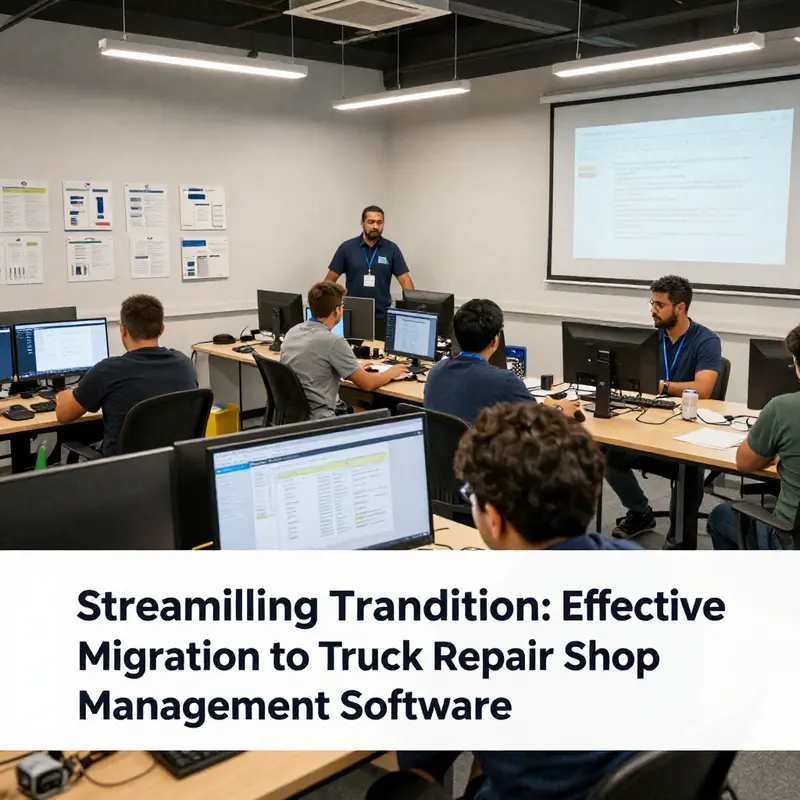
Migrating to a new truck repair shop management system is as much about people as it is about platforms. When a shop shifts from one digital backbone to another, the software itself is only as effective as the people who use it. This chapter threads together the human and the technical, showing how deliberate change management and tailored training create a lasting lift in efficiency, accuracy, and customer satisfaction. The aim is not merely to deploy a tool but to foster a resilient operating culture where teams anticipate, adapt to, and ultimately own the new workflows.
At its core, change management during a migration is about perception as much as process. People resist or embrace change based on how clearly they understand the rationale, how visible the benefits are, and how supported they feel during the transition. Clear, ongoing communication matters as much as any classroom session. Leaders must model commitment to the new system, not merely authorize its purchase. When supervisors and managers consistently acknowledge concerns, articulate expected outcomes, and share short-term wins, a shop moves from anxiety to ownership. This is not a one-and-done message; it is a sustained conversation that invites feedback, demonstrates progress, and aligns daily routines with the capabilities of the new software.
The practical path to successful change begins with designating a change leadership cadence. A small coalition of frontline leaders—service advisers, technicians, and shop managers—should meet regularly to translate strategic intentions into concrete actions. They serve as the bridge between vendors, IT support, and the people actually performing the work. Their responsibilities include translating system capabilities into shop-floor language, identifying friction points, and championing quick wins that validate the migration. Leadership involvement signals to the entire team that the new software is essential, not optional, and that the organization is prepared to support them through the learning curve. This is where the concept of people-first strategies in trucking becomes not just a philosophy but a practical compass for daily decisions. people-first strategies in trucking
To prepare for the shift, a robust communication plan should precede training. Early outreach should cover the why, the what, and the when. Why this change is happening, what it will change in terms of workflows and metrics, and when each milestone will occur. It’s equally important to be explicit about what will not change—core customer commitments, safety practices, and the shop’s commitment to quality—and what will improve as a result. Framing the migration as an opportunity to reduce repetitive paper shuffles, shorten downtime between inspection and invoicing, and improve the visibility of repairs for customers and managers helps to anchor the transformation in everyday concerns. Importantly, these conversations need to occur across all roles, from the lead technician to the front-desk agent, from parts personnel to shop foremen. The aim is to cultivate shared language and shared expectations, so that the entire team can move forward together rather than in isolated silos.
Training must be tailored to the distinct workflows and responsibilities within a truck repair context. A one-size-fits-all curriculum rarely translates into practical competence. Instead, design training tracks that map to real-world tasks. For technicians, the emphasis is on job aids that guide the new inspection checklists, time-tracking for labor, parts lookup, and the flow of repair orders from intake to close. For service advisers, the focus is on communicating status, generating accurate estimates, and using the system to provide transparent updates to customers. For managers, the emphasis lies in dashboards, exception reporting, and the ability to drill into performance metrics to identify bottlenecks and opportunities for process refinement. In each case, learners should engage with a mix of hands-on workshops, bite-sized video tutorials, and quick-reference guides that distill complex steps into easy-to-follow prompts.
Hands-on workshops remain the most effective vehicle for building competence. When participants can navigate the software in a controlled environment that mirrors the shop’s real-world sequences, they translate theory into reliable action. Workshops should begin with high-leverage tasks—creating a repair order, assigning technician work, recording labor hours, and generating a customer-facing update. As teams gain confidence, sessions can incrementally introduce more advanced features such as customized inspection templates, reporting templates, and workflow automation rules that mirror the shop’s unique processes. The goal is not to overwhelm but to build a sustainable baseline of fluency that reduces the fear of missteps during live operation.
Video tutorials complement live practice by providing flexible, on-demand reference. In a busy shop, technicians and staff may need to revisit a tricky step while on the floor. Short, task-focused videos that demonstrate a single action—like converting an inspection result into a billable repair order or integrating a parts bundle into a single line item—can dramatically shorten the learning cycle. These videos should be indexed and searchable, enabling staff to return to the exact moment they need guidance rather than re-watching entire training modules. Quick-reference guides play a parallel role. Pocket-sized, printer-friendly sheets summarizing critical workflows—step-by-step prompts, error checks, and escalation paths—become handy on the shop floor and in the service office. The combination of hands-on practice, video tutorials, and quick references creates a layered learning experience that accommodates different learning preferences and schedules.
A phased rollout is a prudent strategy that aligns with the realities of a truck shop. Rather than an all-at-once switch, pilots in one department or location can uncover workflow gaps and integration challenges before broader deployment. Pilot groups act as internal champions who model best practices and share learnings with peers. They also provide a direct channel for collecting feedback about user interfaces, data migrations, and the perceived impact on customer service. The feedback loop should be explicit and actionable: identify an issue, propose a fix, test the fix, and confirm the improvement. When teams see their input driving tangible changes, confidence in the migration grows and resistance declines.
Equally critical is the ongoing support structure that sustains momentum after go-live. A well-staffed help desk, plus a cadre of designated super users within each shift, creates a safety net for frontline teams. Super users should have advanced access to the system and the authority to resolve routine issues, triage more complex problems, and share best practices. This distributed support model reduces downtime, accelerates adoption, and reinforces the message that the organization is committed to the new platform. It also helps preserve the integrity of data during the transition; accurate data capture is the backbone of reliable reporting and informed decision-making after migration. In practice, the support team’s role expands into continuous optimization, where analytics illuminate inefficiencies and prompt process adjustments that further improve throughput and accuracy.
From a broader perspective, the change-management effort must align with project-management discipline. The healthcare software world has long emphasized structured governance, clear milestones, and meticulous risk management. Although the automotive service environment is different in scope and cadence, the core principles translate: define owners, set baselines, monitor progress, and adjust tactics in response to feedback and performance data. The interplay of people, processes, and technology ultimately determines success. When each dimension is aligned, the system is not merely installed; it becomes a tool that sustains better customer communication, faster repairs, and healthier margins.
In the end, the migration’s value is realized when the new software becomes a natural part of daily work rather than a disruptive echo in the background. The aim is not perfection on day one but predictable improvements over time. The most compelling evidence of success comes from a steady reduction in manual tasks, a sharper cadence of communication with customers, and a measurable lift in technician productivity without sacrificing quality or safety. When teams experience these benefits, training ceases to be a separate event and evolves into an ongoing culture of learning and improvement. The shop transitions from a collection of individuals grappling with a new tool to a cohesive team leveraging a shared system to deliver reliable, transparent service that builds trust with customers and revenue with every repair order.
To support this journey, organizations should keep resources accessible and aligned with the learning needs of the workforce. Training materials and change-management playbooks should be stored in a central, easily navigable location and updated as the software evolves and feedback accumulates. Above all, the migration should be treated as a partnership between staff, leadership, and the software ecosystem, with joint accountability for outcomes. When teams are equipped with practical skills, confident in the rationale behind the change, and supported by leadership, the path from implementation to measurable performance gains becomes not a leap of faith but a well-charted course. External resources can complement in-house efforts, but the real value emerges from a culture that embraces change as a continuous driver of reliability, efficiency, and customer satisfaction.
External resource: ASE Resources on training and education: https://www.ase.com/resources/training-and-education
Testing and Go-Live: A Practical Playbook to Launch Truck Repair Shop Software with Minimal Disruption
Testing and Go-Live: A Practical Playbook
Migrating to new truck repair shop management software is not finished when data lands in the new system. The move from pilot to production demands a disciplined approach to testing, validation, and launch logistics. Treat the go-live phase as the moment when months of planning are stress-tested. A deliberate plan reduces downtime, preserves revenue, and protects customer trust.
Begin with a clear definition of success for the go-live. Success criteria should be specific, measurable, and agreed on by leadership and operations. Examples include acceptable invoice accuracy rates, parts pick accuracy above a set threshold, and labor logging compliance. These metrics guide test design and give teams concrete goals. Document them and make them visible to everyone involved.
Testing must be comprehensive and realistic. Run test scenarios that reflect everyday operations. Create work orders that vary in size and complexity. Simulate parts shortages and emergency orders. Process returns and warranty claims. Ensure labor entries capture different technician roles. Test accounting and payment flows. Each test should check not just a single function, but the full path of data from entry to reporting. This end-to-end testing reveals integration gaps that unit checks miss.
Data verification is another non-negotiable step. After migration, validate that customer records, vehicle histories, parts inventory, and repair orders are complete. Reconcile totals between the old system and the new one. Where totals differ, trace the discrepancy back to its origin. Often, small formatting differences or mapping mismatches cause mismatches. Resolve these before relying on historical data for reporting or billing.
Integrations deserve special attention. Accounting systems, parts suppliers, payment gateways, and diagnostic tools must exchange data without errors. Test each integration under load, and check for duplicated or missing records. If integrations use scheduled jobs, verify timing. A nightly sync that runs during a maintenance window may be fine during testing but fail under real operational timing. Validate both real-time and scheduled interfaces.
User Acceptance Testing (UAT) bridges the gap between technical validation and real work. Involve technicians, service advisors, parts managers, and front-desk staff as early as possible. Ask them to perform typical daily tasks while observers note friction points. Encourage candid feedback and capture requests for adjustments. UAT is also a training opportunity. Users learn the new screens and workflows while the project team fixes usability issues.
When choosing UAT participants, include staff of varying proficiency. Pair experienced hands with less experienced users. This pairing tests whether the system supports both expert shortcuts and clear guidance for newcomers. Provide simple scripts for testers, but also allow exploratory sessions. Some of the most valuable issues surface when users deviate from scripts to solve real problems.
A pilot rollout is a prudent next step. Launch in a single bay, team, or location depending on shop size. A pilot limits exposure while proving the system under live conditions. During the pilot, monitor cycle times, parts fulfillment accuracy, and customer communications. Keep a rapid-response team on standby to fix bugs, update configuration, or restore key processes. The pilot provides critical data to adjust the final rollout plan.
Go-live timing is vital. Aim for periods of lower operational demand whenever possible. Early-week launches often allow for a recovery window before weekend peaks. Avoid peak shipping seasons, scheduled large fleet repairs, or known local events that spike demand. Coordinate with staff schedules so experienced personnel are available during the first days.
Build a detailed go-live runbook. The runbook lists every task, responsible person, rollback triggers, and contact information. Include step-by-step cutover actions like final data sync, DNS changes, and access provisioning. Define thresholds that trigger a rollback or a pause. For example, if invoicing fails for a certain percentage of transactions, have clear steps to pause the new system and temporarily revert critical tasks to manual or legacy workflows.
Staffing the go-live requires forethought. Assign a command center with representatives from operations, IT, vendor support, and leadership. This center should triage issues, assign fixes, and communicate status. Equip the team with access to logs, dashboards, and escalation contacts. A single point of truth for incident status reduces confusion and contradictory instructions.
Communication with the entire shop matters before and during go-live. Provide short, focused updates about what to expect and whom to contact. Use simple posters, quick briefings, and a dedicated chat channel. Keep messages actionable. Clear communication reduces anxiety and keeps staff focused on solving problems.
Post-launch monitoring is where the system earns its keep. Track the success metrics defined earlier. Watch work order throughput, parts pick rates, invoice accuracy, and payment processing. Review exceptions daily at first, then weekly. Use dashboards that highlight trends and anomalies. Rapid detection of issues prevents small problems from becoming systemic.
Support plans must be robust. Ensure vendor or third-party support is available during and after launch. Internal superusers should be on-site or reachable for the first weeks. Establish a feedback loop so users can report issues and suggest improvements. Prioritize fixes by business impact and communicate timelines for expected resolution.
A continuous improvement mindset helps the new system mature. After stabilizing operations, schedule retrospectives to capture lessons learned. Update training materials and workflows based on real usage. Revisit automation rules and report templates to match how the shop actually works. Small, iterative changes often yield outsized operational gains.
Resilience planning includes rollback and contingency strategies. Though rare with a solid plan, rollbacks may be necessary. Define how to operate manually if needed. Keep recent exports of critical data from the legacy system until the new system proves reliable. Ensure backups and recovery processes are tested.
Finally, remember the human element. Transition stress affects performance and morale. Celebrate milestones. Recognize staff who go above and beyond during the migration. Investments in training and support pay off in faster adoption and fewer errors.
Implementing these practices creates a controlled, measurable path to production. Thoughtful testing, realistic pilots, clear communication, and strong support reduce risk. The outcome is a successful go-live that positions the shop to capture efficiency gains and improve customer service. For deeper guidance on data migration patterns and cutover sequencing, refer to this resource: https://www.netsuite.com/portal/resource/articles/data-migration/net-suite-data-migration-best-practices.shtml
For further reading on aligning people and process during major changes, see “Investing in People: Key to Trucking’s Success” at https://titanbusinesstrucks.com/investing-in-people-key-to-truckings-success/.
Final thoughts
The effective migration to new truck repair shop management software is a critical undertaking for companies in logistics, construction, and fleet management sectors. By following a structured approach, organizations can not only minimize disruptions but also unlock significant enhancements in operational efficiency and service delivery. As outlined in the chapters, from robust planning and data migration to comprehensive training and testing, each element plays a crucial role in ensuring the seamless integration of technology into business practices. Businesses must remain committed to optimizing their processes to achieve lasting benefits and growth.